What is workflow automation? At its simplest, it’s software that handles repetitive, rule-based tasks so your team can focus on higher-value work. Automation triggers actions, applies logic, and delivers consistent results to save time, cut errors, and improve customer experience.
January 28, 2026 (9mo ago) — last updated September 5, 2026 (1mo ago)
Workflow Automation: How It Works & Why It Matters
Learn how workflow automation works, see real examples, and get quick steps to save time, cut errors, and boost productivity.
← Back to blog
Workflow Automation: How It Works & Why It Matters
Summary: Discover what workflow automation is, how it saves time and reduces errors, and see real examples and quick-start steps to get started.
Introduction
What is workflow automation? At its simplest, it’s using software to handle repetitive, rule-based tasks so your team can focus on higher-value work. Automation acts like a digital assistant that never sleeps: it triggers actions, applies logic, and delivers consistent results so people can do more meaningful, creative work.
Understanding Workflow Automation Without the Jargon
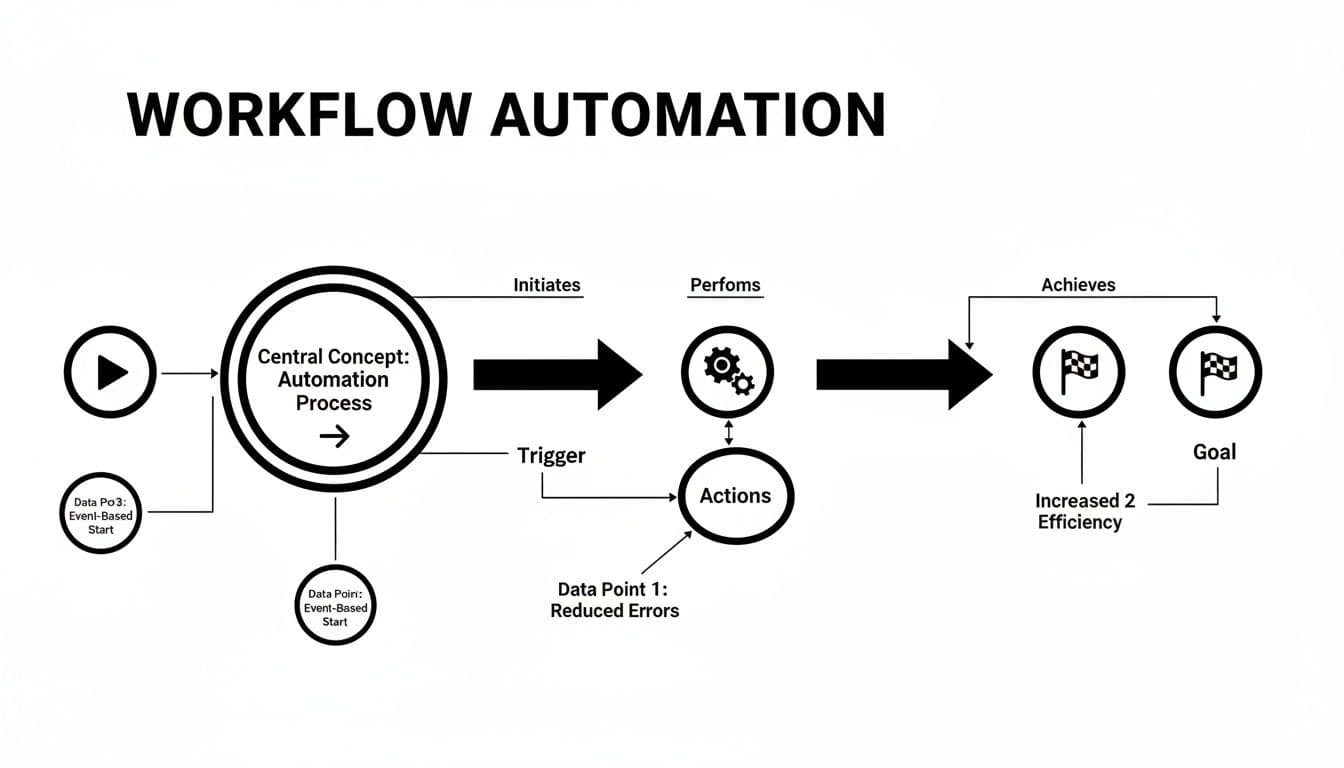
Think of workflow automation like a line of dominoes. The first push—the trigger—starts a chain of actions you’ve defined. For example, a customer fills out a form and the system automatically adds the contact to your CRM, sends a personalized welcome email, and schedules a follow-up task for a sales rep. You set the rules once, and the system executes them every time.
This simple flow—trigger, action, goal—is the foundation of automation. The technology handles predictable jobs and frees your team to focus on strategy and customer relationships.
Why Is Automation Growing So Fast?
Businesses are adopting workflow automation to stay competitive and scale efficiently. The workflow automation market is projected to grow substantially1.
“By automating routine processes, businesses not only save time and reduce errors but also create more consistent and reliable outcomes for customers and teams.”
A practical example: instead of a salesperson manually creating an SEO audit and lead report, a digital tool can generate the report instantly, capture the lead, and notify the sales team—saving time and delivering higher-quality leads. Consider using an interactive site tool such as the Digital Business Valuation Tool to illustrate how calculators and estimators can drive conversions.
Manual vs Automated Workflows At a Glance
| Business Function | Manual Workflow Example | Automated Workflow Example |
|---|---|---|
| Lead Management | Sales rep manually enters lead data from a web form into the CRM, then drafts and sends a welcome email. | A form submission automatically creates a CRM contact, tags the lead, and sends a pre-written welcome email. |
| Invoice Processing | Accounts payable receives a PDF invoice, prints it, and manually enters the data into accounting software for approval. | Software extracts invoice data, populates the accounting system, and routes it to the right manager for digital approval. |
| Employee Onboarding | HR emails offer letters, benefits forms, and IT setup instructions, tracking completion with a spreadsheet. | A signed offer triggers automated document delivery, e-signature requests, and IT ticket creation. |
| Customer Support | Agent reads incoming ticket, categorizes it, and assigns it manually. | An AI-powered system categorizes tickets and routes them to the correct specialist automatically. |
Automation replaces slow, error-prone work with speed, accuracy, and consistency. It doesn’t remove people; it empowers them to focus on higher-value work.
The Core Components of Every Automated Workflow
Every automated workflow has three parts: the trigger, the actions, and the logic. Once you understand these, you’ll spot automation opportunities across your business.

Triggers: The Starting Point
A trigger is the event that starts the workflow. Common triggers include:
- A customer filling out a contact form.
- A new row added to a Google Sheet.
- An email arriving with a specific subject line.
- A scheduled time, like running a report every Monday at 9:00 AM.
Actions: The Work Itself
Actions are the tasks the system performs after the trigger. For a new form submission, actions might include:
- Add the contact to your CRM.
- Send a personalized “thanks for reaching out” email.
- Create a follow-up task for a sales rep.
Actions can be single steps or complex sequences that tie together multiple apps. For ideas, try embedding a useful interactive tool on your site, such as the Business Valuation Estimator, to capture and qualify leads automatically.
Logic: The Brains of the Operation
Logic lets your workflow make decisions—usually via simple if/then rules. Logic turns a linear checklist into a dynamic system that adapts to different inputs.
For example, a user completing a Mortgage Calculator might be routed differently based on estimated loan size: high-value leads go to senior officers, smaller leads to junior staff. Intelligent routing ensures the right opportunity reaches the right person instantly.
How Automation Improves Business Performance
The real value of automation shows up in business results: saved time, fewer errors, faster processes, and better customer experiences.
Automation gives your team time back. Hours spent on manual data entry, approvals, and admin work are freed up for strategic tasks that move the business forward. That shift boosts morale and fuels growth. Surveys also show strong positive sentiment around automation and increased investment in automation tools2.

Slashing Costs and Boosting Profitability
Automation reduces operational costs by eliminating manual entry and limiting errors. For example, embedding a tool like the Business Valuation Estimator on your site can instantly qualify leads, capture contact details, and shorten the sales cycle—freeing consultants to focus on closing deals rather than manual qualification.
Enhancing Customer Experience and Consistency
Automation ensures a consistent customer experience whether it’s 3 PM or 3 AM. Interactive tools deliver the same reliable output every time, which builds trust and increases lifetime value. Faster, automated responses meet modern expectations for on-demand service and help you scale support without sacrificing quality.
“Automation ensures that your best process becomes your only process, creating a dependable and professional experience that keeps customers coming back.”
Seeing Automation in Action Across Industries
Automation applies to nearly every industry. The core idea is consistent: find repetitive, high-value processes and automate them.
A marketing agency, for instance, can embed an interactive tool to produce instant value for visitors and capture qualified leads. Instead of a passive “Contact Us” form, a visitor who uses a helpful calculator is more engaged and more likely to convert. Consider tools like the Digital Business Valuation Tool or the YouTube Channel Value Estimator to provide immediate value on your site.
Tailoring Automation to Specific Needs
Different industries customize automation for their goals. A real estate agent using a Mortgage Calculator can capture budget-ready buyers and automatically add them to targeted email nurture campaigns. Each example replaces manual follow-up with timely, automated engagement that drives measurable results.
The goal of workflow automation isn’t just doing tasks faster. It’s building smarter systems that engage customers and drive better outcomes with less manual effort.
Automation Beyond Lead Generation
Automation is also crucial in customer service and operations. AI-powered support systems can categorize tickets, respond to common queries, and escalate complex issues to humans—reducing response times and improving satisfaction. Back-office functions like client onboarding in accounting or automated document generation are other high-value areas for automation.
Getting Started With No-Code Automation Platforms
No-code platforms make automation accessible to non-developers. They let the people who know the process best—marketing specialists, operations managers, and sales leads—build workflows with visual builders rather than custom code. This reduces time-to-value and keeps solutions closely aligned with real business needs3.
A Simple Plan for Your First Automation
Start small and prove value quickly. Use this three-step blueprint:
- Find a pain point: Pick a repetitive, important task—like qualifying new website leads.
- Design the workflow: Map triggers, actions, and logic using a no-code builder.
- Deploy and test: Embed the tool on your site and monitor results; iterate based on data.
For example, embed a Business Valuation Estimator to gather qualifying information and send warm leads to your sales team automatically.
Putting Automation in the Right Hands
No-code tools shift ownership from IT to business users, enabling faster, more relevant solutions. This democratization lets teams build calculators, lead magnets, and workflows tailored to real needs without long development cycles.
Frequently Asked Questions About Workflow Automation

What Is the Difference Between Workflow Automation and BPM?
Workflow automation focuses on specific, repeatable tasks—making one part of a process efficient and error-free. Business Process Management (BPM) looks at end-to-end processes and continuous improvement across the whole customer or operational journey.
How Do I Identify the Best Processes to Automate First?
Start with tasks that are repetitive, time-consuming, and rule-based—like data entry, standard reporting, or templated follow-up emails. Aim for a small, high-impact process to demonstrate quick wins and build momentum.
Can Workflow Automation Improve My Website SEO?
Yes. Interactive tools increase engagement and dwell time, which signal value to search engines. Tools that provide immediate value also attract natural backlinks, strengthening your SEO over time.
Quick Q&A: Common Questions and Pain Points
Q: How quickly will I see ROI from automation?
A: Many teams see measurable benefits within weeks of deploying a targeted workflow—especially when automating lead qualification or recurring reports that free up billable hours.2
Q: Will automation replace my staff?
A: No. Automation removes repetitive tasks so people can focus on high-value, strategic work—improving job satisfaction and productivity.
Q: How do I keep automations reliable and secure?
A: Use vetted platforms, set error-handling and notification rules, and regularly review workflows. Start small, monitor performance, and iterate.
Ready to stop wasting time on repetitive tasks and start building a more efficient business? Try adding an interactive tool to your site—like the Digital Business Valuation Tool—to capture qualified leads and deliver instant value.
Three Concise Q&A Sections (Bottom)
Q: What should I automate first?
A: Automate repetitive, high-volume tasks that cost time and cause errors—lead qualification, routine reporting, and standard onboarding steps.
Q: Which tools make automation easiest for non-developers?
A: No-code platforms with visual builders are the fastest route. Look for tools with prebuilt connectors to your CRM, email, and spreadsheets.
Q: How do I measure success?
A: Track time saved, error reduction, conversion rate lift, and revenue per lead. Start with a single metric tied to a business goal and expand from there.
1.
Mordor Intelligence, “Workflow Automation Market — Growth, Trends, Forecasts (2022–2031),” accessed via https://www.mordorintelligence.com/industry-reports/workflow-automation-market.
2.
Smartsheet, survey findings on automation and productivity, accessed via https://www.smartsheet.com/.
3.
KBV Research, “Business Process Automation Market,” accessed via https://www.kbvresearch.com/business-process-automation-market/.
Ready to Build Your Own Tools for Free?
Join hundreds of businesses already using custom estimation tools to increase profits and win more clients
✨ No coding required • 🚀 Ready in minutes • 💸 Free to create