Discover practical steps to mastering user experience optimization and boost engagement, conversions, and satisfaction across your digital presence.
December 19, 2025 (6mo ago)
User Experience Optimization: Elevate Engagement and Conversions
Discover practical steps to mastering user experience optimization and boost engagement, conversions, and satisfaction across your digital presence.
← Back to blog
UX Optimization to Boost Engagement & Conversions
Summary: Discover practical steps to master user experience optimization and boost engagement, conversions, and satisfaction across your digital presence.
Introduction
Discover practical, tactical steps to master user experience optimization so your site is intuitive, fast, and valuable — the kind of experience that turns casual visitors into loyal customers.
In a market packed with options, what makes someone choose your website and stick around? It all comes down to user experience optimization. This isn’t just about making things look nice; it’s about making your site intuitive, enjoyable, and genuinely helpful for the people using it.
At its core, UX is about empathy — a deep understanding of what your visitors need, what frustrates them, and what makes them feel successful. Get that right, and you turn casual visitors into devoted customers.
Why user experience optimization is your biggest competitive edge
Let’s be real. Your product or service isn’t just competing on features; it’s competing on the feeling it creates. In a crowded digital world, the split-second decision a visitor makes to stay or leave hinges on their experience. Was finding information easy? Was the process frustrating? Did they feel like you understood what they were trying to do?
User experience optimization is the practice of ensuring every click and scroll feels effortless and valuable. Think of it as a core business strategy that aligns your goals with your users’ goals. When a customer can effortlessly find what they need, they start to trust your brand.

Investing in UX drives profitability: many studies show strong returns for companies that prioritize user-centered design, with significant lift in engagement and conversions1.
Small changes create big wins
You don’t need a massive overhaul to see results. Often, small, thoughtful adjustments lead to big gains in customer loyalty and revenue. These improvements tie directly into conversion rate optimization principles, where iterative changes compound into substantial improvements.
Here’s how simple tweaks can make a difference:
- Boosts engagement: A site that’s easy to navigate encourages people to explore more content and spend more time with your brand.
- Increases conversions: A frictionless checkout or a clear call-to-action removes hurdles that stop people from buying or signing up.
- Builds loyalty: When an experience is positive and hassle-free, customers feel seen and valued — they come back.
The four pillars of an unforgettable user experience
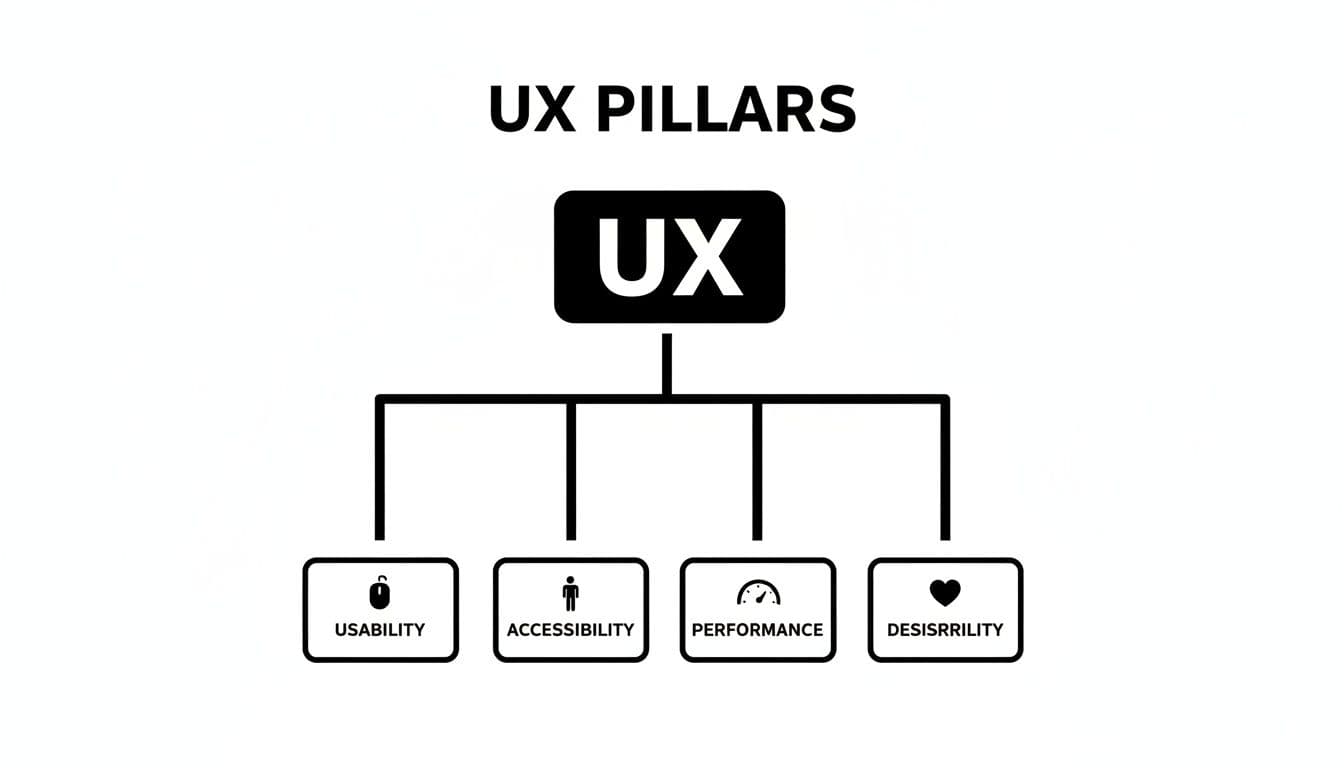
To really nail UX optimization, think of it like a four-legged stool. If one leg is wobbly or missing, the whole thing falls apart. The four legs are Usability, Accessibility, Performance, and Desirability.
When they all work together, the result is a website that feels intuitive, reliable, and genuinely enjoyable.
Pillar 1: Usability
Usability answers one question: “Is this easy to use?” It’s about clarity, logic, and predictability. Can someone new to your site figure out how to get things done without frustration?
Poor usability looks like a maze-like checkout or repetitive form fields. Great usability is a smooth path that respects the user’s time and attention.
Pillar 2: Accessibility
Accessibility asks, “Can everyone use this?” An exceptional experience must be inclusive. Design so people with visual, auditory, or motor impairments can access and interact with your content just as easily as anyone else.
This is more than compliance; it’s an opportunity. Over one billion people worldwide live with some form of disability, and designing for accessibility opens your product to a large, often overlooked audience2.
Pillar 3: Performance
Performance is speed and reliability. The question is, “Is this fast and dependable?” In a world of short attention spans, a slow page loses users quickly.
Solid performance builds confidence and makes the experience feel polished. Embedding a fast, useful tool such as the Business Valuation Estimator can deliver immediate value without bogging down the page.
Pillar 4: Desirability
Desirability taps into emotion: “Does this create a positive connection?” Beyond function, desirability is the thoughtful detail, visual polish, and tone that make people want to engage.
It’s what transforms a first-time visitor into a loyal fan. Personalization and pleasant micro-interactions help create those memorable moments.
“A great user experience doesn’t just happen by accident. It’s the result of a commitment to making things easy, accessible, fast, and enjoyable for the people you serve.”
The core pillars of UX optimization at a glance
| Pillar | Core question | Practical example |
|---|---|---|
| Usability | Is this easy to use? | A clean, single-page checkout with clear fields. |
| Accessibility | Can everyone use this? | Add descriptive alt text and keyboard navigation. |
| Performance | Is this fast and dependable? | Optimize images to keep homepage load under 2 seconds. |
| Desirability | Does this create a positive connection? | Subtle animations and a friendly tone in copy. |
How to actually measure and analyze your user experience
You can’t fix what you can’t see. Move from theory to action by combining quantitative analytics with qualitative feedback: numbers tell you what’s happening; user research explains why.
The quantitative story: what analytics reveal
Tools like Google Analytics show behavior at scale. Key metrics to watch include:
- Bounce rate: the share of visitors who leave after viewing a single page — a high rate can signal a mismatch between expectation and content.
- Time on page: low time on pages that should engage indicates content or UX issues.
- Conversion rate: the ultimate KPI for many sites — it measures how many visitors complete a desired action.
These metrics point you to problem pages. If 70% of users abandon at the shipping page, you’ve found a critical friction point.
The qualitative story: why users behave that way
Qualitative methods — session recordings, heatmaps, interviews, and surveys — reveal motivations and frustrations. Watching sessions shows where users hesitate, rage-click, or get lost — insights analytics alone can’t provide.
Embedding a useful tool also yields qualitative signals: the inputs users provide help you understand their needs and refine offerings. For example, adding an interactive estimator like the Digital Business Valuation Tool can show what visitors value in real time.
A data-driven approach — pairing the what with the why — helps you prioritize high-impact fixes.
Using interactive tools to transform user engagement
Static content informs; interactive content engages. When you invite visitors to participate, they spend more time on your page and become more invested.
A simple estimator can answer a visitor’s biggest question instantly. For example, an agency that adds a transparent estimator on its services page lets prospects quickly see a realistic price range instead of waiting for a quote. That builds trust and generates warmer leads.

Interactive tools flip the script: visitors provide input and receive a tailored result. That two-way exchange is memorable and valuable.
This approach boosts key metrics:
- Increases time on site: tool usage keeps visitors engaged, a positive signal to search engines.
- Reduces bounce rate: instant answers give people a reason to stay.
- Generates qualified leads: users who complete a tool are often high-intent prospects.
- Saves team time: automating routine estimates frees sales to focus on closing deals.
Examples of practical tools you can embed include the Email List Value Estimator for marketers and the Business Valuation Estimator for professional services.
Mastering the mobile-first and cross-device journey
A poor mobile experience is a deal-breaker. Most visitors find you on a small screen, often while distracted. A mobile-first approach should be your starting point.
Mobile-first design isn’t just responsive shrink-to-fit; it’s designing for thumbs: large tap targets, simplified navigation, and streamlined flows. Over 60% of global web traffic comes from mobile devices, so mobile experience matters more than ever3.

Beyond the small screen: a seamless journey
Users move between phones, tablets, and desktops. Make that handoff invisible: synced carts, saved items, and consistent session states prevent frustration and lost conversions.
Practical steps for better mobile UX:
- Design for touch: ensure buttons and links are easy to tap.
- Prioritize performance: compress images, minify code, and optimize load times for cellular networks.
- Simplify forms: ask only what’s essential.
- Use clear visual cues: headings, white space, and high-contrast text help scanning.
A mobile-first mindset creates a stronger connection with your audience and removes common roadblocks to conversion.
Connecting great UX with higher search rankings
UX and SEO are now deeply intertwined. Google rewards pages that give people useful, fast, and engaging experiences. When your site is slow, confusing, or frustrating, it won’t rank as well as sites that satisfy users.
Signals that good UX improves SEO:
- Lower bounce rates: visitors who find immediate value are less likely to leave.
- Longer sessions: engaged visitors explore more pages, signaling quality.
- Higher engagement: internal clicks, video plays, and tool interactions indicate relevance.
These behavioral signals reflect user satisfaction — solve for the user and you also solve for search engines.
Core Web Vitals made simple
Core Web Vitals measure how a page feels to users. In short:
- Loading: how fast does the main content appear (Largest Contentful Paint)?
- Interactivity: how quickly does the page respond to input (First Input Delay)?
- Visual stability: does the layout shift unexpectedly (Cumulative Layout Shift)?
Improving these metrics makes pages feel more reliable and professional, and Google recommends optimizing them as part of good UX practice4.
Embedding a genuinely useful tool can boost engagement and position your site as a resource. For example, adding a practical estimator can keep visitors on the page and help attract quality backlinks.
Your top questions about UX optimization, answered
What’s the real difference between UI and UX optimization?
UI is the interior design — colors, type, and visual styling. UX is the blueprint — the structure and flow. UI makes things look good; UX makes them work well. Both must work together.
How can a small business with a tight budget get started?
Start with data you already have. Use Google Analytics to find pages with high exits and fix the easiest problems first. Add a low-cost interactive tool, like the Email List Value Estimator, to give immediate value and improve engagement.
How long does it take to see results?
Small changes can show measurable improvements in days. Larger redesigns take weeks or months to validate. Think in steady, incremental improvements and measure each change.
Quick Q&A — three concise user-focused questions and answers
Q: What’s the first thing I should fix on my site?
A: Start with mobile performance and any checkout or lead-capture friction. Those yield fast, measurable lifts in conversions.
Q: How do I know which UX fixes matter most?
A: Combine analytics to find problem pages with session recordings or user feedback to learn why people leave. Prioritize fixes that remove major friction points.
Q: Will improving UX help my SEO?
A: Yes. Better UX improves engagement metrics that search engines use as relevance signals, which supports higher rankings.
Ready to add an interactive tool to your site? Consider embedding a practical estimator such as the Business Valuation Estimator or the Digital Business Valuation Tool to deliver instant value and capture qualified leads.
1.
Nielsen Norman Group, “Return on Investment for UX,” https://www.nngroup.com/articles/roi-ux/.
2.
World Health Organization, “Disability and health,” https://www.who.int/news-room/fact-sheets/detail/disability-and-health.
3.
Statista, “Share of website traffic coming from mobile devices worldwide,” https://www.statista.com/statistics/277125/share-of-website-traffic-coming-from-mobile-devices/.
4.
Google Web Vitals, “Core Web Vitals,” https://web.dev/vitals/.
Ready to Build Your Own Tools for Free?
Join hundreds of businesses already using custom estimation tools to increase profits and win more clients
✨ No coding required • 🚀 Ready in minutes • 💸 Free to create