Discover a practical seo audit report format to turn complex data into a clear roadmap and win stakeholder buy-in.
January 5, 2026 (9mo ago)
Master the SEO Audit Report Format: Turn Data into Actionable Insights
Discover a practical seo audit report format to turn complex data into a clear roadmap and win stakeholder buy-in.
← Back to blog
An effective SEO audit report isn’t just a long list of problems; it’s a strategic blueprint for growth. A well-structured report does more than just present data—it tells a story about opportunity and persuades stakeholders to green-light your recommendations.
Why Your Report Format Is Your Most Powerful Tool
Think of an SEO audit report like a mechanic’s diagnostic for a race car. A lazy report just says, “You have a flat tire.” A great one shows you precisely how tuning the engine, adjusting the wheel alignment, and using a different fuel blend will help you win the race. Your report is that critical bridge between raw data and decisive action.
The right presentation can make or break your entire effort. It frames all your findings around three essential questions:
- Technical Health: Can search engines actually find, crawl, and understand what’s on the site?
- Content Effectiveness: Is the content actually connecting with the right audience and ranking for the terms that matter?
- Off-Page Authority: Does the site have a solid reputation online, backed up by quality links from other trusted websites?

From Data Dump to Strategic Roadmap
One of the biggest mistakes I see is delivering a massive spreadsheet filled with technical jargon and no context. That overwhelms stakeholders and guarantees your hard work gets ignored. A powerful SEO audit report format flips this around by prioritizing findings based on their real-world business impact, not just technical severity.
Before we get into the nitty-gritty of structuring the report itself, it helps to have a solid grasp of the overall audit process. Understanding the why behind the audit makes structuring the what much more intuitive.
A good report also turns problems into clear opportunities. Instead of just noting “low user engagement,” recommend a tangible solution that drives business goals. The key is to connect your SEO findings to measurable ROI.
Proving the Value of Structure
A systematic approach gets results. For example, teams that follow a repeatable, checklist-driven audit process often identify hidden keyword gaps and technical issues faster, which can produce meaningful traffic gains1.
This is why your report’s structure is so vital. It’s not about just listing what’s broken. It’s about building a clear, persuasive case for fixing it and showing the growth that’s waiting on the other side.
To give you a clearer picture, here’s a quick breakdown of the core components every great SEO audit report should have.
Core Components of an Actionable SEO Audit Report
| Section Component | Primary Goal | Key Metrics to Watch |
|---|---|---|
| Technical SEO | Ensure the site is crawlable, indexable, and technically sound. | Indexing Status, Crawl Errors, Site Speed, Mobile-Friendliness, XML Sitemaps |
| On-Page & Content | Verify that content is high-quality, relevant, and optimized for search intent. | Keyword Rankings, Organic CTR, Bounce Rate, On-Page SEO Elements (Titles, H1s) |
| Backlink Profile | Assess the quality and quantity of inbound links to gauge authority. | Referring Domains, Domain Rating (DR), Link Toxicity Score, Anchor Text Distribution |
| UX & Performance | Evaluate the user experience to improve engagement and conversions. | Core Web Vitals (LCP, FID, CLS), Time on Page, Conversion Rate |
| Tracking & Analytics | Confirm that data tracking is correctly implemented to measure success. | Google Analytics & Search Console Setup, Goal/Event Tracking, Tag Implementation |
These sections form the backbone of a report that doesn’t just inform but also empowers your team or client to take meaningful action.
Building a Rock-Solid Technical SEO Foundation
Let’s start with the nuts and bolts. Think of technical SEO as the foundation, plumbing, and electrical wiring of a house. It doesn't matter how beautiful the furniture is if the foundation is cracked and the lights won’t turn on. In the same way, your website’s technical health is the non-negotiable backbone that supports every other marketing effort you make.
The technical section of your SEO audit report format needs to cut through the jargon and explain what’s really going on. It should answer one simple question for your stakeholders: can search engines and users actually find, understand, and use our website? If the answer is no, or even “sort of,” then everything else you’re doing is built on shaky ground.

This part of the report is built on a methodical checklist, but it’s not about dumping a list of errors on someone’s desk. It’s about ensuring the fundamental pathways for search engines are clear and efficient.
Core Technical Audit Checklist
Your report has to clearly present findings from these key areas, but always connect them back to the “so what.” Don’t just list problems; explain how they’re actively hurting the business.
- Crawlability and Indexation: Can Googlebot even see your pages? Use Search Console’s Pages report and highlight important pages that are accidentally excluded and the lost traffic potential.
- XML Sitemap Status: Verify the sitemap is current, error-free, and submitted correctly. A messy sitemap is like giving a first-time visitor a torn, outdated map to your office.
- Robots.txt Review: This file gives search engines the rules of the road. A single incorrect line can make your entire site invisible. Confirm it isn’t blocking crucial content by mistake.
- HTTP Status Codes: Hunt for broken links (404s) and confusing redirects (302s instead of 301s). Frame 404s as dead-end hallways that frustrate users and waste Google’s time.
A common pitfall is to brush off “minor” technical glitches. These small errors have a habit of compounding, leading to significant drops in traffic. It’s like a tiny leak in a pipe; leave it alone, and you might come back to a flooded basement.
By digging into your website’s performance data, you can spot issues before they become catastrophes. Exporting 6–12 months of analytics data can reveal patterns where top pages are bleeding visitors due to high bounce rates caused by technical snags like slow load times.
Prioritizing Technical Fixes for Maximum Impact
Not all technical problems are created equal. Your report’s value comes from prioritizing fixes based on impact versus effort. For example, fixing a robots.txt rule that’s blocking your entire blog is a high-impact, low-effort emergency that needs to be handled now.
Use a simple table or an Impact vs. Effort matrix to visualize priorities. That makes it dead simple for stakeholders to see where to focus resources first.
A huge part of a technically sound site is one that loads quickly and works seamlessly for users. This isn’t just an SEO metric; it directly affects user experience and conversions. Core Web Vitals are a concise set of metrics that show how your site performs for real users and why speed matters for engagement and search performance2.
Auditing Your On-Page and Content Performance
Once the technical foundation is solid, it’s time to evaluate what people actually see. This section shifts from the site’s engine to its message—the content your audience reads, watches, and interacts with.
You’re evaluating how well the site communicates with both potential customers and the search engines trying to understand your pages. It’s about more than stuffing keywords into a page. Look at title tags, meta descriptions, and heading structure as opportunities to create clarity and relevance.
Digging into Content Gaps and Opportunities
A content gap analysis uncovers the keywords your competitors rank for that you don’t. These gaps give you a roadmap of high-impact topics to build your content strategy around.
Include metrics like search volume and keyword difficulty to show stakeholders how much traffic you’re leaving on the table.
Key On-Page and Content Metrics to Report
- Title Tag & Meta Description Issues: Pinpoint pages with missing, duplicate, or awkwardly truncated titles and descriptions. Frame these as missed opportunities to earn clicks from search results.
- Header Tag Usage (H1, H2, H3): Check that headers are used logically. A missing H1 or a chaotic H2 structure makes content harder to read for both users and crawlers.
- Thin or Duplicate Content: Find low-word-count pages or duplicate content on your site. These “zombie pages” dilute authority and waste crawl budget.
- Internal Linking Structure: Analyze how well you connect pages. Orphaned pages are hard for Google to find and rank.
An audit report shouldn’t just be a list of problems. Showcase what’s already working. Highlighting wins gives you a blueprint for what to do more of.
Interactive tools are high-value content that drive engagement and leads. For example, a financial advisory could add a calculator to pre-qualify leads—use a tool like the Business Valuation Estimator to create measurable, sticky content that keeps users on site and increases conversion likelihood.
A marketing agency might use the Facebook Ads Cost Estimator to show potential ROI upfront. A construction firm could add the Construction Material Cost Predictor to help prospects estimate jobs and pre-qualify leads. These assets turn passive visitors into active participants.
By including success stories alongside areas needing improvement, your audit becomes balanced and strategic.
Evaluating Your Backlink Profile and Off-Page Authority
If technical SEO is the foundation and content is the furniture, your backlink profile is your reputation in the neighborhood. Links are votes of confidence: they tell search engines that others trust your content.
A strong backlink profile signals authority. Your audit should tell a simple story about your brand’s credibility across the web, focusing on quality, not just raw numbers.
Key Metrics for Your Backlink Analysis
- Total Referring Domains: Unique websites linking to you. Ten links from ten sites are worth much more than ten links from one site.
- Domain Authority (DA) or Domain Rating (DR): Industry scores from tools like Moz or Ahrefs. Show your score next to competitors for context.
- Anchor Text Distribution: Look for a natural mix of brand, partial-match, and generic anchors.
- Toxic or Spammy Links: Flag links from low-quality or irrelevant sites for review and potential disavowal.
Turn abstract numbers into a clear snapshot of off-page health and explain what that means for rankings and traffic.
Backlink Quality Assessment Checklist
| Quality Factor | What to Look For (Good) | Red Flags (Bad) |
|---|---|---|
| Relevance | Linking site is in your industry or niche. | Site is unrelated (e.g., a casino linking to a pet blog). |
| Authority | Site has strong DA/DR and established traffic. | Low DA/DR, little traffic, or brand new. |
| Placement | Link is in the main content. | Link is buried in a footer or a huge link list. |
| Anchor Text | Relevant, natural, and varied anchors. | Over-optimized exact-match anchors. |
| Website Quality | Professional site with useful content. | Poor design, lots of spammy ads, or plagiarized content. |
Showcasing Proactive Authority Building
A great audit doesn’t just point out problems; it highlights what’s working and charts a course for the future. Building link-worthy assets attracts natural backlinks and boosts authority.
For instance, a logistics company could build a useful calculator and promote it as a resource. Use the Logistics Shipping Cost Predictor as an example: it provides immediate value and naturally earns links from industry blogs and resource pages. These assets attract high-quality links, improve engagement, and strengthen your brand as an expert.
Static PDFs are fading. Many clients want live dashboards and real-time views of what changed3. Modern reporting combines reactive fixes (like disavowing bad links) with proactive strategies (like creating linkable assets) to deliver a complete roadmap for reputation growth.
How to Present Findings and Prioritize Recommendations
An SEO audit is just a pile of data until you give it a story. Your findings are meaningless if they don’t spark action. This is where you step out of the analyst role and become a storyteller, translating complex metrics into a compelling narrative that gets stakeholders to say “yes.”
Start with a punchy executive summary that immediately answers three questions for any busy executive:
- What are the top 3–5 most critical issues we found?
- How are these problems directly impacting the business?
- What are the highest-priority fixes we need to make now?
Nailing this upfront ensures your main message lands, even if they only skim the first page.
Turning Data into a Visual Story
Humans are visual creatures. Walls of text and dense spreadsheets are where good recommendations go to die. If you want your data to be persuasive, make it visual. Charts, graphs, and simple tables drive points that would take paragraphs to explain.
A pie chart showing high-quality vs. spammy backlinks is more powerful than a long list of domains. A line graph showing a steep traffic drop after a change tells a dramatic story in a single glance.
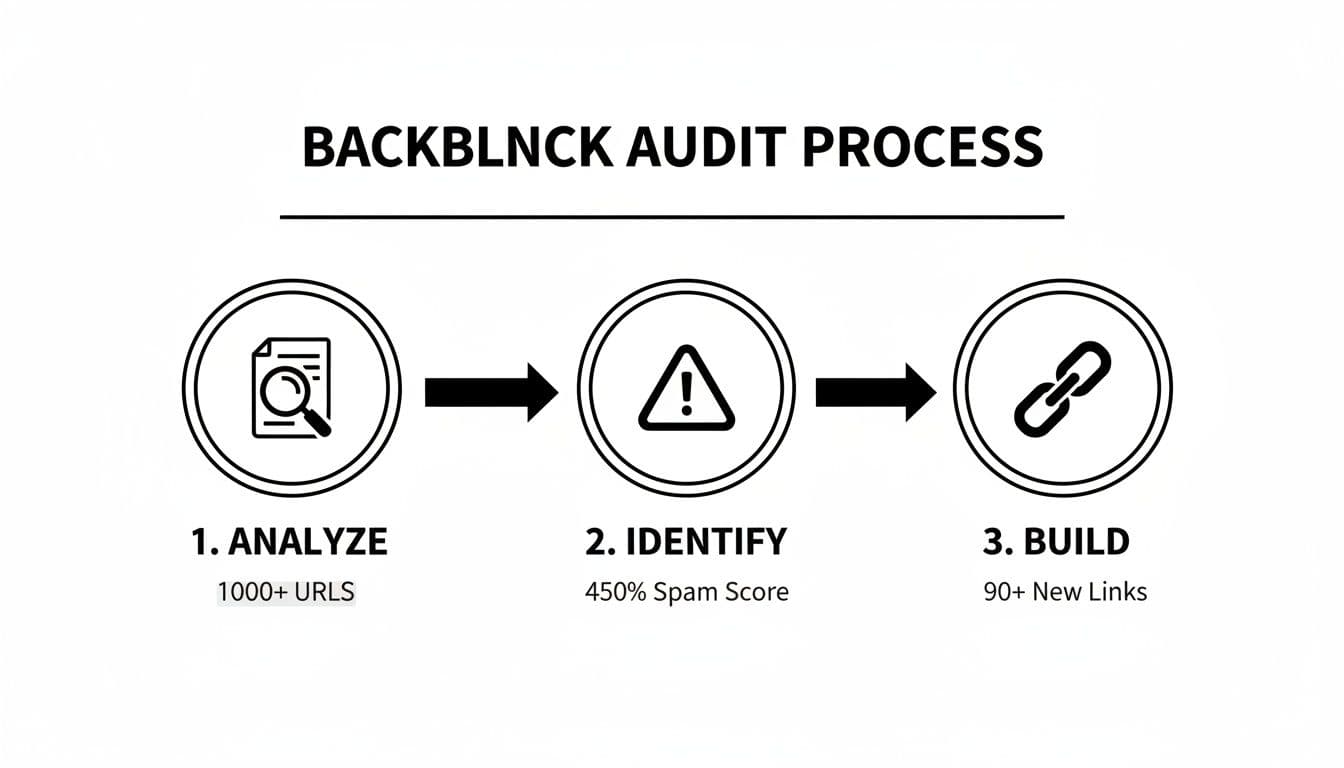
A simple graphic can break a complex process into clear stages and make it feel manageable for everyone involved.
Creating a Prioritized Action Plan
This is the most critical part of your report. An unprioritized list of 100 to-do items is a recipe for overwhelm. Give the team a clear, prioritized roadmap that tells them exactly where to start.
Use an Impact vs. Effort matrix to organize recommendations into four quadrants:
- Quick Wins (High Impact, Low Effort): No-brainers—update title tags on key pages, fix critical broken links, or correct robots.txt rules. Tackle these immediately.
- Major Projects (High Impact, High Effort): Big initiatives like a site migration, major content overhaul, or building a new section. Plan these carefully.
- Fill-Ins (Low Impact, Low Effort): Small tasks to chip away at—add alt text to less important images or clean minor redirect chains.
- Time Sinks (Low Impact, High Effort): Avoid unless there’s a clear, compelling reason.
Presenting recommendations this way makes you a strategist, not just an auditor. You guide the team to make the smartest decisions with limited time and budget.
For example, if user engagement is tanking on key service pages, recommend a Major Project: build an interactive tool. A financial firm adding the Business Valuation Estimator can pre-qualify high-value clients and save the sales team time. Tie recommendations to concrete business outcomes to win stakeholder buy-in.
A Few Final Questions About SEO Audit Reports
Even with the best template, common questions pop up when building and presenting an SEO audit. Here are concise answers to the ones I hear most.
How Often Should I Run an SEO Audit?
For most sites, run a deep-dive audit once a year. For large, fast-changing sites (like big e-commerce stores) or highly competitive industries, run quarterly health checks to stay ahead of algorithm updates and small technical glitches.
What’s the Most Important Part of the Report?
The Prioritized Recommendations section. That’s where data and analysis turn into a concrete plan. A great action plan states what to do, why it matters for the business, and how urgently it needs to be fixed.
Can I Make a Good Report Without Fancy Tools?
Yes. Google Search Console and Google Analytics are powerful free tools that reveal indexing, performance, and user behavior. Paid tools speed things up, but the most critical issues can be spotted with free resources.
How Do I Explain Technical SEO Problems to Non-Techies?
Use simple analogies and focus on business outcomes. Instead of saying, “The site has 150 redirect chains,” say:
“Right now, we’re sending visitors and Google on a long, winding detour to reach our pages. This slows things down for customers and confuses search engines. Fixing it will make the site faster and help Google find and rank our important pages.”
Always tie technical problems back to user experience, sales, or the bottom line.
FAQ
What is the most important section of an SEO audit report?
The Prioritized Recommendations section—because it turns findings into a clear, actionable roadmap that stakeholders can follow.
How do I prioritize fixes in an audit?
Use an Impact vs. Effort matrix to group tasks into Quick Wins, Major Projects, Fill-Ins, and Time Sinks so teams know where to start.
Which free tools should I use first?
Start with Google Search Console and Google Analytics to check indexation, performance, and user behavior; these reveal the highest-impact issues.
1.
Backlinko, “SEO Site Audit,” https://backlinko.com/seo-site-audit
2.
Web.dev, “Core Web Vitals,” https://web.dev/vitals/
3.
WhatsDash, “Create SEO Reports for Clients 2026,” https://whatsdash.com/blog/seo-reports/create-seo-reports-for-clients-2026/
Ready to Build Your Own Tools for Free?
Join hundreds of businesses already using custom estimation tools to increase profits and win more clients
✨ No coding required • 🚀 Ready in minutes • 💸 Free to create