Learn what is embedded content and how it can boost engagement and SEO. Explore examples, best practices, and tools to elevate your website's user experience.
December 14, 2025 (10mo ago)
What Is Embedded Content And How Does It Transform Your Website?
Learn what is embedded content and how it can boost engagement and SEO. Explore examples, best practices, and tools to elevate your website's user experience.
← Back to blog
What Is Embedded Content And How Does It Transform Your Website?
Learn what embedded content is and how it can boost engagement and SEO. Explore examples, best practices, and tools to elevate your website's user experience.
Ever watched a YouTube video right inside a blog post? Or scrolled through a live Twitter feed on a news site? If so, you’ve experienced embedded content. It lets one website display a piece of another, creating a richer, more interactive experience for visitors without them leaving the page.
Unpacking the Power of Embedded Content

Think of your website as your home. You’ve built the walls, painted the rooms, and arranged the furniture. Embedding content is like installing a window with a direct, real-time view of another interesting place. You’re not trying to recreate that view yourself; you’re giving your guests a convenient portal to see it.
This “window” is usually a small piece of code—often an <iframe> or a JavaScript snippet—that the original source provides. When you drop this code into your page, it acts as a placeholder, pulling in a video player, social post, or interactive map and displaying it as if it were part of your site.
Why it matters for your website
Embedding isn’t just about making things look good. It’s a smart way to add functionality and engagement without overloading your server or hiring a developer. Embeds let you add sophisticated features that would otherwise be expensive and time-consuming to build.
A real estate agent, for example, could add a quick calculator on a listing to show monthly payments. That keeps visitors on the page, provides immediate value, and nudges them toward contacting the agent. For that use case you can embed a Mortgage Calculator.
A business consultant might add a valuation tool to capture high-quality leads. Instead of a generic form, the consultant offers immediate, personalized insight via a Business Valuation Estimator. That interaction builds trust and helps qualify prospects.
The no-code connection
Embedding is one of the core wins of the no-code movement. Many tools publish copy-and-paste embed snippets so you can add powerful features with no coding. That makes it easy to deploy calculators, widgets, and data tools quickly and safely.
At its core, embedding is about borrowing functionality to create a richer experience. You leverage the power of specialized platforms to keep users on your site longer, provide immediate value, and drive business goals.
Understanding how content is managed—such as headless CMS architectures—helps explain why the same content can be embedded across many platforms and devices.
The Most Common Types of Embedded Content

Embedded content appears everywhere online. Each type is a specific tool that makes a page more dynamic and useful.
The most fundamental tool is the iframe, short for “inline frame.” An iframe creates a window on your page that displays content from another URL. While many modern embeds use JavaScript, the simple iframe is still reliable for pulling in outside content quickly.
Media and social feeds
One common use for embeds is media. When you watch a YouTube video inside an article or listen to a Spotify playlist on a blog, you’re interacting with an embed. This brings the experience directly to your visitors instead of sending them elsewhere.
Social feeds work the same way. A live feed of posts from X or an Instagram gallery brings real-time conversation and visuals into your content, keeping it fresh and relevant.
Embedding media turns a static page into an interactive destination. It’s the difference between telling someone about a song and letting them listen to it right then and there.
You’ll find embeds used in creative ways—like embedding video into PDFs or interactive guides.
Interactive widgets and calculators
Embeds can add real functionality. Widgets—small, self-contained apps—handle tasks like weather, booking, or cost estimates. These tools are powerful lead generators.
Imagine a contractor embedding a cost tool on a services page. A visitor quickly estimates a project’s cost and becomes an engaged lead. For many businesses you can use tools such as the Square Footage Cost Estimator or the Roof Replacement Cost Estimator.
A financial advisor could embed a retirement calculator to offer personalized projections. A marketing agency might add a YouTube Channel Value Estimator to demonstrate expertise and capture leads.
Maps and data dashboards
Maps are a classic embed. Google Maps on a contact page is far more helpful than a simple address. For complex visualization, businesses can embed dashboards from tools like Tableau or Power BI to share real-time analytics on a webpage.
A data dashboard embedded in an app or intranet brings insights into daily workflows and increases adoption.
Quick comparison of embed types
| Embed Type | Primary Use Case | Implementation Method | Typical Impact |
|---|---|---|---|
| Media player | Displaying videos or audio | Copy-paste embed code | High engagement, longer time on page |
| Social feed | Live posts from platforms | Official widgets or third-party tools | Boosts social proof, keeps content fresh |
| Interactive tool | Calculators, quizzes, booking forms | JavaScript snippet from a service | Excellent for lead generation, direct user value |
| Map | Showing a physical location | Embed code from map service | Improves user experience, vital for local businesses |
| Data dashboard | Visualizing live analytics | Embed code from BI platforms | Makes complex data accessible and actionable |
Choose the embed that best serves your audience and business goals.
How Embedded Tools Can Boost Your Bottom Line
Knowing the different types of embeds is one thing; connecting them to business growth is where it gets interesting. Interactive tools can turn a website from a static brochure into a dynamic sales engine.
Instead of just telling visitors what you do, you can show them value instantly. That shift improves lead quality and conversion rates.
Turning visitors into qualified leads
Imagine a roofing contractor whose site includes a Roof Replacement Cost Estimator. A visitor inputs roof size and materials and gets a realistic estimate. That interaction:
- Gives instant value
- Builds trust through transparency
- Captures a high-intent lead who’s closer to buying
With one embed, casual browsers become qualified prospects.
Empowering customers and closing deals faster
This approach works across industries. A solar company, for example, can help buyers understand costs and payback by using tools like the Residential Solar Cost & Payback Calculator. Home remodelers can embed a Kitchen Remodel Cost Estimator to set realistic expectations.
These interactive tools help customers sell themselves on a solution before they ever speak to sales, which speeds up the sales cycle and raises close rates.
The range of embeddable calculators—from finance to construction—shows how many industries can benefit from adding useful tools to their sites.
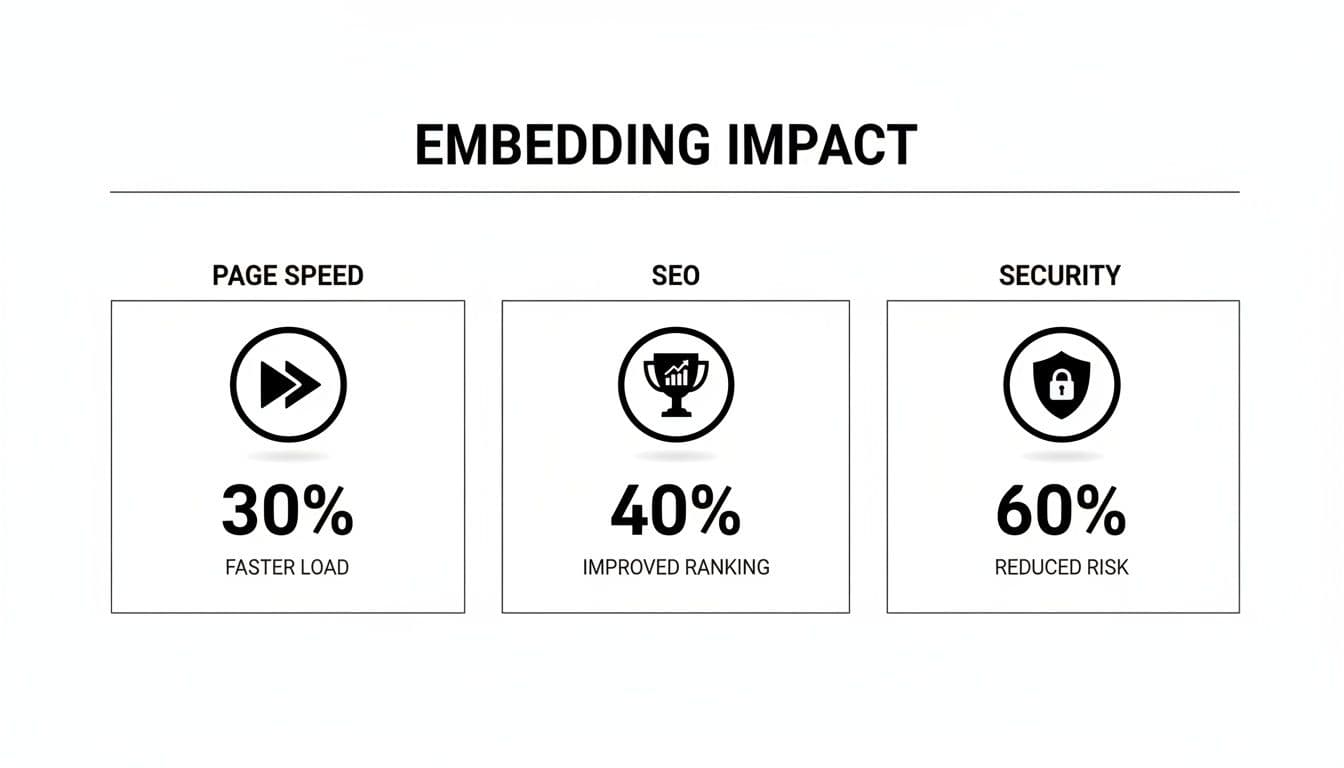
The Technical Side: SEO, Speed, and Security
Adding interactive elements raises sensible questions: will embeds slow my site, or hurt SEO? With a few best practices, you can get the benefits without the problems.
A common worry is page speed. When a browser loads embedded content, it fetches resources from another server. If you have many embeds, these requests add up and can slow the page.
Luckily, lazy loading solves this.
Keeping your site fast
Lazy loading tells the browser not to load an embedded element until the user scrolls near it. This keeps your initial page load fast because the browser only loads what’s immediately visible. The embedded map, video, or calculator only starts loading when it’s about to appear on screen, which preserves performance and keeps visitors happy. See native lazy loading best practices for details.4
What about SEO?
Embedding content is not the same as copying it, and search engines understand the difference. Google recognizes iframes and external embeds and does not treat them as duplicate content. Good embeds can even help your SEO: when visitors engage with an embedded calculator or video, they stay longer on the page, increasing dwell time—a positive signal to search engines.
A quick word on security
An <iframe> opens a small window to another site, so it’s wise to be cautious. Use the sandbox attribute to isolate embedded content and prevent pop-ups, rogue scripts, or redirects. Sandboxing creates a secure bubble around third-party content and is a simple but important safety measure.5
The Rise of Embedded Analytics and Data Tools
Embedding analytics into the places people work makes data accessible and actionable. Instead of exporting CSVs and sending static reports, teams see live dashboards where decisions are made. Embedded analytics is a growing market and many businesses are already seeing measurable gains from integrating data tools directly into their apps and sites.2
From static reports to interactive insights
Embedded analytics turns stale reports into living tools. Users no longer have to search for data; it comes to them. That increases adoption and leads to faster, smarter decisions.
Companies using embedded analytics report improved revenue and feature adoption, and better customer retention in many cases.3
How embedded tools drive profitability
A marketing team with an embedded ROI dashboard can reallocate budget in real time to channels that perform, boosting campaign performance and the bottom line. Internally, a real estate firm might use a Mortgage Calculator as both a public tool and an agent-facing estimator to run quick scenarios for clients.
Embedded analytics isn’t just pretty charts—when implemented thoughtfully, it improves efficiency and drives profit.
Best Practices for Embedding Content the Right Way
Embeds should feel like a seamless part of your site, not a tacked-on gimmick. Follow these principles to make sure your embeds improve user experience, performance, and trust.
Choose sources wisely
Only embed content from sources you trust. When you add a tool or a video, you’re vouching for it. Use reputable platforms like YouTube or services that are professionally maintained. For lead-generation widgets, use trusted tools such as the Business Valuation Estimator or the Mortgage Calculator.
A broken or malicious embed can harm your brand instantly, so pick providers who prioritize security and uptime.
Prioritize responsive design
More than half of all web traffic now comes from mobile devices, so embedded content must work well on small screens.1 Most modern embed codes are responsive, but always test on phones before publishing. A calculator must be as easy to use on a smartphone as on a desktop.
Make your content accessible
Accessibility is essential. For iframes, add a descriptive title attribute so screen readers describe the embed clearly—for example, “Video player for the official product demo.” Small steps like this make your site inclusive.
Provide clear context
Never drop an embed without an explanation. Introduce the tool or media with a sentence that explains why it’s there and what the user will get from it. Framing an embed turns a widget into a solution and helps capture more qualified leads.
Answering Common Questions About Embedded Content
Is embedded content bad for SEO?
No. When done right, embedded content helps SEO by increasing engagement and dwell time. Google recognizes embeds and does not treat them as duplicate content.
Will embedding content slow down my website?
Not if you use lazy loading. Delay loading embedded elements until they’re needed to keep initial page speed fast. Run a speed test after adding any embed to confirm performance.
Can I embed content from any website?
You can technically embed content from many sources, but you should only embed from trusted, reputable sites. Choosing high-quality providers protects your visitors and your brand.
Ready to turn your website into a lead-generation machine? With MicroEstimates, you can create and embed custom interactive tools in minutes—no coding required. Start building for free and see how you can increase engagement, capture more qualified leads, and boost your bottom line. Create your free tool on MicroEstimates
Q&A — Quick Answers for Busy Readers
Q: What is embedded content in one sentence?
A: Embedded content displays media or tools from another site inside your page using an iframe or script, letting users interact without leaving your site.
Q: How does embedding help my business?
A: Embeds add immediate value—calculators and widgets generate qualified leads, keep visitors on the page, and speed up decision-making.
Q: What are the top technical concerns?
A: Performance, security, and accessibility. Use lazy loading, sandboxed iframes, and responsive designs to address them.
1.
StatCounter global mobile traffic statistics show mobile has surpassed half of global web usage. https://gs.statcounter.com/global-stats/mobile-device-market-share
2.
Market research reports project rapid growth in the embedded analytics market. See an industry overview at Grand View Research: https://www.grandviewresearch.com/industry-analysis/embedded-analytics-market
3.
Industry analyses and reports (e.g., Forrester) note measurable gains from embedded analytics in revenue, adoption, and retention. For reference: https://go.forrester.com
4.
Google Web.Dev guide on native lazy loading and performance best practices: https://web.dev/native-lazy-loading/
5.
MDN Web Docs overview of the iframe element and sandbox attribute for secure embedding: https://developer.mozilla.org/en-US/docs/Web/HTML/Element/iframe
Ready to Build Your Own Tools for Free?
Join hundreds of businesses already using custom estimation tools to increase profits and win more clients
✨ No coding required • 🚀 Ready in minutes • 💸 Free to create