Curious what is a site audit? Discover how a comprehensive health check uncovers issues, boosts SEO, and fuels sustainable growth.
January 30, 2026 (8mo ago)
What is a Site Audit? Clear Steps to Improve Your Website Health
Curious what is a site audit? Discover how a comprehensive health check uncovers issues, boosts SEO, and fuels sustainable growth.
← Back to blog
Site Audit: Steps to Improve Website Health
Summary: Curious what a site audit is? Learn how a full health check uncovers issues, boosts SEO, and creates a clear action plan for growth.
Introduction: Think of a site audit as a tune-up for your website. It’s a methodical review of technical setup, on-page content, user experience, and off-site authority that turns guesswork into a prioritized plan for more traffic and better conversions.
Think of your website as the engine that powers your business. Over time, every engine needs a tune-up to run at peak performance. A site audit is that comprehensive diagnostic check, a deep dive under the hood to see what’s working, what’s broken, and where there are opportunities for a serious upgrade.
It’s a methodical analysis of your site’s technical foundation, on-page content, user experience, and off-site authority. The goal? To stop guessing what’s holding you back from ranking higher and converting more visitors, and start acting on a clear, data-backed plan.
A Health Check for Your Website

A site audit isn't just about spotting errors; it's about building a strategic roadmap for growth. It moves you from a reactive “fix-it” mindset to a proactive, performance-driven strategy. By systematically examining every aspect of your website, you can pinpoint the exact issues that are costing you traffic, leads, and sales.
This process is like a full medical physical for your digital presence. In an online ecosystem where Google commands the vast majority of search traffic,1 even small improvements can unlock significantly more visibility and visits. Google handles billions of searches every day,2 so optimizing your site’s health pays off.
Why Audits Are a Game Changer
Ultimately, a good audit delivers clarity. It cuts through the noise and gets your entire team—from marketing and sales to the development crew—aligned on what’s truly helping or hurting your site's performance. That clarity is the foundation for making smarter business decisions and knowing exactly where to invest time and budget.
For instance, an audit might show your “Request a Quote” page is losing visitors—they land, then they leave. Instead of only tweaking the copy, you could integrate an interactive estimator that offers immediate value. Embedding a tool such as a Project Cost Estimator gives visitors instant context about price and captures high-intent leads.
A site audit transforms abstract data into a concrete to‑do list. It shows you precisely where to focus your resources for the biggest impact, turning your website from a simple brochure into a powerful business-building machine.
To truly understand the process, it helps to break it into core components. A thorough audit looks at four interconnected areas, each critical for long-term success.
The Four Pillars of a Comprehensive Site Audit
| Audit Pillar | What It Covers | Why It's Critical for Growth |
|---|---|---|
| Technical SEO | Crawlability, indexation, site speed, mobile experience, security (HTTPS), and site architecture. | This is the foundation. If search engines can't find and understand your site, even the best content won't rank. |
| On-Page SEO & Content | Keyword targeting, content quality, meta tags, internal linking, and user intent alignment. | Ensures pages are relevant and useful to both search engines and people. |
| User Experience (UX) | Navigation, design, readability, calls-to-action, and task completion paths. | A poor user experience leads to lost conversions; a great one converts visitors into customers. |
| Off-Page SEO | Backlink profile quality, brand mentions, and local signals. | Builds authority and credibility, which helps search rankings. |
Each pillar supports the others. Amazing content won’t help if technical issues block indexing, and a technically solid site won’t convert if the UX is poor.
Turning Findings into Financial Wins
The real value of an audit is the actions it enables. If your key product pages load slowly, optimizing speed can directly reduce cart abandonment. If you find content gaps, targeted posts or interactive tools can attract your ideal customers when they’re actively searching.
For service businesses, an audit that flags a leaky pricing or quote page can often be resolved by adding an estimator. Try embedding a Business Valuation Estimator or a Project Cost Estimator to give immediate, personalized value and capture qualified leads.
If you want a structured checklist to follow, break the audit into the four pillars above and prioritize the fixes that are easiest to implement with the highest expected ROI.
The Three Main Types of Site Audits You Need to Know
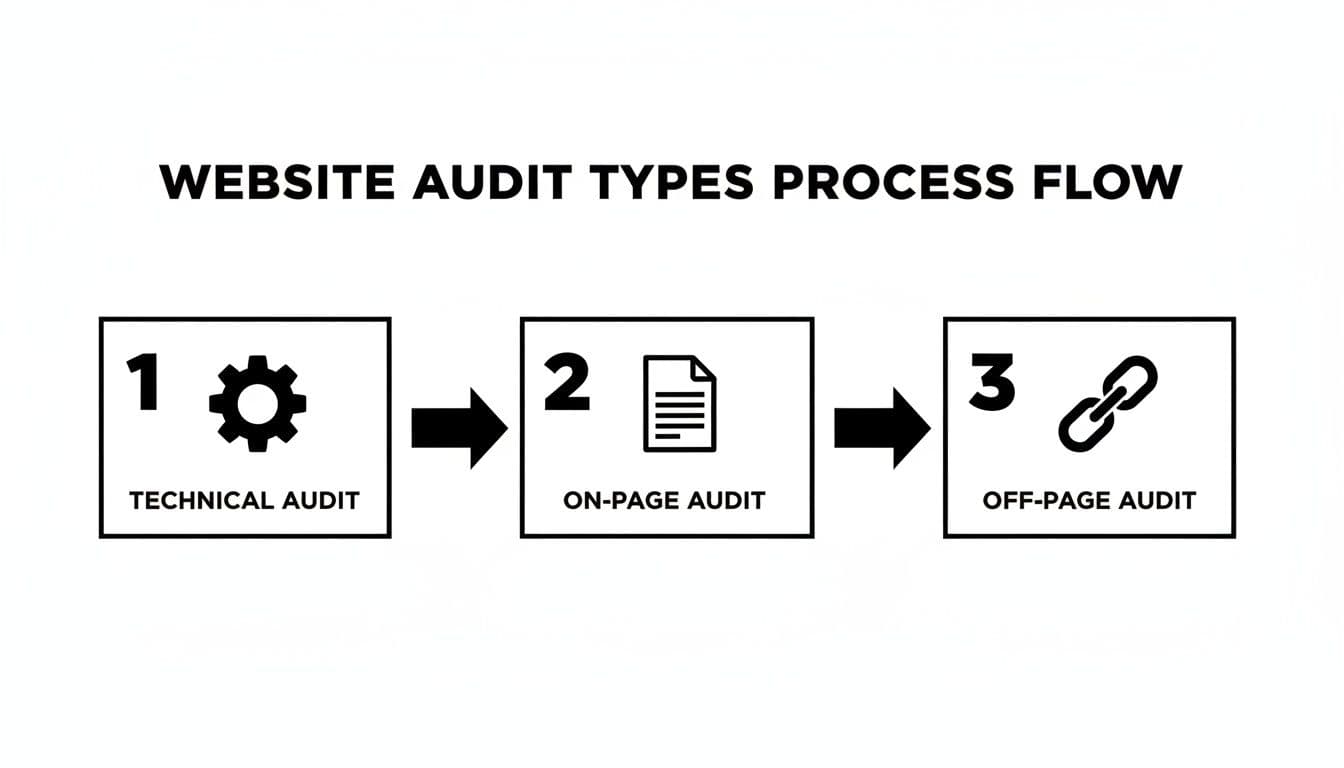
Not every audit is the same. Like automotive maintenance, sometimes you need a quick inspection and other times a full overhaul. The three common audit types are:
- Technical Audit — Inspects site infrastructure so search engines can crawl and index your pages effectively.
- On-Page Audit — Reviews content quality, relevance, and engagement for real users.
- Off-Page Audit — Evaluates backlinks, brand signals, and external reputation.
When combined, these audits give a complete, actionable picture of your site’s health.
Technical SEO Audits: The Foundation
Technical SEO is the bedrock. If Google can’t crawl or index your site correctly, nothing else matters. A technical audit hunts issues like slow pages, broken links, poor mobile rendering, or misconfigured indexing rules.
Fixing these foundational problems clears the path for both search engine bots and human visitors.
On-Page and Content Audits: The User Experience
An on-page audit asks whether a page actually solves a visitor’s problem. It examines keyword fit, page structure, meta tags, headings, and internal linking. If a landing page has a high bounce rate, adding an interactive element like a Project Cost Estimator can provide value, keep users engaged, and increase conversions.
Off-Page Audits: Building Authority
Off-page audits analyze your backlink profile to spot high-quality links and toxic ones that could harm performance. They also look at brand mentions and your wider digital footprint. A strong off-page presence signals trustworthiness to search engines.
Modern audits crawl sites and assess hundreds of factors. With more than a billion websites competing for attention,5 and mobile traffic representing the majority of visits worldwide,3 a thorough audit is essential for staying competitive.
How to Conduct Your First Basic Site Audit
A first audit can feel overwhelming, but focus on essentials that deliver clear insights. The goal is to turn technical data into business intelligence.
Setting Your Goals and Scope
Before you run a scan, define your objective: increase organic traffic, improve lead quality, or lower bounce rates. Start by targeting technical and on-page issues that are low-effort but high-impact.
If your goal is better lead quality, your audit might reveal visitors abandoning the contact form. Embedding an estimator like the Project Cost Estimator provides immediate value and captures leads.
Gathering Your Initial Data
You don’t need a dozen paid tools. Start with a few essentials:
- Google Search Console — check Coverage and Core Web Vitals reports.
- Screaming Frog SEO Spider — crawl for broken links, missing tags, and duplicate content (free up to 500 URLs).
- Google PageSpeed Insights — measure page performance and get prioritized recommendations.
Identifying Common Red Flags
Start by hunting low-hanging fruit that often deliver quick wins. Focus on:
- Indexing issues — are key pages blocked from Google?
- Slow page speed — do key pages take longer than three seconds to load? Slow pages cause visitors to abandon mobile experiences rapidly4.
- Broken links — 404s interrupt user journeys.
- Missing or duplicate title tags — these harm click-through rates.
Finding and fixing these issues gives you momentum. For example, if blog posts show low engagement, embedding a tool like the YouTube Channel Value Estimator can convert passive readers into engaged users.
Fixing Common Problems Uncovered in a Site Audit
Once you have a list of issues, the key is prioritization. Treat your audit report like a patient chart: triage the urgent, high-impact problems first.
Common issues include slow pages, broken links, duplicate content, and poor mobile experiences. These are business problems because they directly affect conversions and revenue. Research shows many users abandon pages that take too long to load, so speed should be a top priority4.
Prioritizing Your Fixes for Maximum Impact
Start with low-effort, high-impact fixes: compress oversized images, fix broken links, and update title tags. Larger projects, like a site restructure or mobile redesign, require planning but can yield big rewards.
Don’t aim to fix everything at once. Create a repair plan that delivers quick wins while you tackle longer-term projects.
| Common Issue | Potential SEO Impact | Fix Effort | Priority |
|---|---|---|---|
| Broken internal/external links | High | Low | Immediate |
| Slow page speed | High | Medium | High |
| Missing/duplicate title tags | Medium | Low | High |
| No XML sitemap | Medium | Low | High |
| Poor mobile experience | High | High | Project-level |
| Thin or duplicate content | High | High | Plan |
| Incorrect redirects (302s) | Medium | Medium | Medium |
| Missing image alt text | Low | Low | Ongoing |
Addressing High Bounce Rates with Interactive Tools
If a key service page has a high bounce rate, add a clear value exchange. An embedded tool such as a Project Cost Estimator gives visitors an immediate answer to “How much will this cost?” and captures qualified leads.
For crawl behavior issues, a deeper technical review can reveal how search bots interact with your site so you can fix hidden problems.
Turning Audit Insights into Actionable Growth
An audit report is only valuable when you act. A broken link on a high-value page is losing potential customers every day. Use audit findings to design experiments that increase conversions.
From Data Points to Profit Drivers
Suppose a popular blog post gets solid traffic but almost no leads. Rather than a generic CTA, embed a useful tool like the YouTube Channel Value Estimator that gives personalized results and encourages users to exchange contact details for their report.
This can:
- Increase time on page.
- Capture qualified leads.
- Earn backlinks as other sites reference your useful tool.
A single change can turn a passive page into a growth engine.
Answering Customers’ Biggest Questions
If visitors bounce from pricing or services pages, they likely lack the clarity to decide. Embedding a concrete estimator such as the Business Valuation Estimator helps visitors see the value and reduces friction.
The most powerful audit insights reveal gaps between what users want and what your site offers. Closing those gaps with useful tools and clearer content is one of the fastest ways to boost engagement and revenue.
Building a Culture of Continuous Website Improvement
Treat a site audit as the start of an ongoing cycle, not a one-off project. A sustainable rhythm—quarterly checks for most sites—helps you catch problems early and incorporate findings into regular planning.3
If a quarterly review spots a new page with a high bounce rate, a focused fix such as adding an estimator can often resolve the issue quickly without a full redesign.
This steady approach keeps you resilient against algorithm changes and competitive moves.
Still Have Questions About Site Audits?
How Often Should I Run a Site Audit?
For most sites, a thorough audit every 6–12 months is a good baseline. High-volume sites, like large e-commerce stores or news publishers, should audit quarterly or after major changes.
Can I Do This Myself?
Yes. Free tools such as Google Search Console, Screaming Frog (free tier), and PageSpeed Insights give you strong initial insights. For complex sites, a professional audit can connect subtle issues to business impact.
What Should I Expect to Pay for a Professional Audit?
Costs vary with site size and complexity. Small business audits may cost a few hundred dollars; enterprise audits can range from $5,000 to $20,000 or more, reflecting deeper technical and strategic work.
Common Questions (Q&A)
Q: What’s the single most important thing in a site audit? A: Fixing technical issues that prevent search engines from crawling and indexing your site. If pages aren’t discoverable, other improvements won’t help.
Q: How quickly will audit fixes improve traffic? A: Some fixes, like repairing broken links or improving page speed, can yield measurable lifts in weeks. Larger projects, like content strategy or site architecture changes, take longer.
Q: Which quick wins should I prioritize first? A: Start with low-effort, high-impact tasks: fix broken links, compress images, update missing title tags, and ensure your XML sitemap is present.
1.
StatCounter Global Search Engine Market Share: https://gs.statcounter.com/search-engine-market-share
2.
Internet Live Stats — Google Search Statistics: https://www.internetlivestats.com/google-search-statistics/
3.
Statista — Share of website traffic coming from mobile devices: https://www.statista.com/statistics/277125/share-of-website-traffic-coming-from-mobile-devices/
4.
Google / DoubleClick research on mobile page speed and abandonment: https://www.thinkwithgoogle.com/marketing-resources/data-measurement/mobile-page-speed-new-industry-benchmarks/
5.
Internet Live Stats — Total number of websites: https://www.internetlivestats.com/total-number-of-websites/
Ready to Build Your Own Tools for Free?
Join hundreds of businesses already using custom estimation tools to increase profits and win more clients
✨ No coding required • 🚀 Ready in minutes • 💸 Free to create