Use a monthly SEO report template that ties KPIs to revenue, aligns stakeholders, and turns data into decisions that grow the business.
January 20, 2026 (9mo ago) — last updated October 2, 2026 (21d ago)
Monthly SEO Report Template to Prove ROI
Use this monthly SEO report template to prove ROI, align teams, and turn SEO data into revenue-driven decisions.
← Back to blog
Discover the Monthly SEO Report Template to Prove ROI
Boost clarity with a monthly SEO report template that ties KPIs to revenue, aligns your team, and drives decisions with dashboards, automation, and interactive tools.
A solid monthly SEO report template is more than a data dump. Think of it as a strategic document that translates your hard work into measurable business results. It should tell a clear story, highlight the big wins, and lay out the next steps. Most importantly, it must show stakeholders the direct line between your SEO efforts and their bottom-line goals.
Why Most SEO Reports Fail to Impress

Let’s be honest—most SEO reports end up in the digital graveyard. They arrive in an inbox, get a quick scan, and are archived.
Why? Because they’re often just a wall of numbers. Keyword rankings, traffic charts, and backlink counts don’t mean much to anyone who isn’t living and breathing SEO every day. When a CEO sees you celebrating a jump from position 8 to 5 for a keyword they’ve never heard of, their first thought is often, “So what?”
The Gap Between Activity and Outcome
The core problem is reporting on activity instead of outcome. Backlinks and meta tweaks matter, but stakeholders care about results—revenue, leads, and growth.
Here’s how the disconnect usually plays out:
-
You report: “We increased organic traffic by 15% month-over-month.”
-
They hear: “More visitors came, but did we make more money?”
-
You report: “We gained 20 high-authority backlinks this month.”
-
They hear: “You spent time on something that has no obvious connection to sales.”
If your reports can’t draw a straight line from SEO tasks to business growth, you risk budget cuts or ignored recommendations.
Shift to a Narrative-Driven Approach
Stop sending a spreadsheet and start telling a strategic story. A powerful monthly SEO report doesn’t just present numbers; it interprets them. It shows where you’ve been, where you are now, and where you’re headed.
“Your monthly SEO report shouldn’t just be a record of what you did. It should be a compelling argument for the value you created and the opportunities you uncovered.”
Instead of raw traffic numbers, tie visits to lead generation. Reframe “more visitors” into “an estimated $X in potential new business.” By focusing on tangible outcomes, your report becomes a document that gets read, acted on, and respected.
It’s no surprise that businesses using detailed monthly reports see, on average, a 47% year-over-year lift in organic traffic.1
Choosing KPIs That Connect to Business Goals
A report filled with numbers is worthless if those numbers don’t mean anything to the business. Executives care about revenue, leads, and growth.
Be ruthless about choosing the right KPIs. Move past vanity metrics and focus on the data that proves your worth.
From Vanity Metrics to Business Impact
Connect your SEO work directly to the company’s objectives. What’s the primary goal? Filling the sales pipeline, driving e-commerce revenue, or building brand authority? Each goal needs a different set of KPIs.
- Lead gen (B2B): Track organic lead conversions and goal completions from Google Analytics 4.
- E-commerce: Track organic revenue, average order value for organic shoppers, and e-commerce conversion rate.
- Brand-building: Track share of voice for priority keywords and growth in branded search volume.
Supporting metrics—like rankings for high-intent terms, organic CTR, and referring domains—help explain the why behind your KPIs. This is how you answer the fundamental question: “Is our investment in SEO paying off?”
Identifying Your Core KPIs
Pick metrics that map to the customer journey and business goals:
- Organic conversions (leads, form fills, sales)
- Organic traffic conversion rate
- Organic-driven revenue (e-commerce)
- Rankings for high-intent, money terms
Once those are in place, include secondary metrics for context: CTR, top-performing pages, and new referring domains.
A great monthly SEO report answers, “Is our SEO investment paying off?” and provides a confident yes backed by numbers.
Building Your High-Impact Report Template
Whether you use Google Looker Studio, a slide deck, or a spreadsheet, the tool is secondary. The story you tell with the data is everything.
Design a layered template. At the top, put critical takeaways for the executive. Below that, offer deeper detail for marketing and product teams.
Essential Components of Any SEO Report
Every great report should include these non-negotiables:
- A punchy executive summary: One-paragraph highlight reel covering big wins, roadblocks, and next steps.
- A visual performance dashboard: Trends for organic traffic, conversions, and revenue.
- Keyword and ranking analysis: Focus on movement of high-intent, money-making keywords and what those moves mean for lead or revenue impact.
- Backlink profile health: New referring domains from relevant sites—quality over quantity.
- Technical SEO health check: A plain-language summary of technical issues that could slow growth.
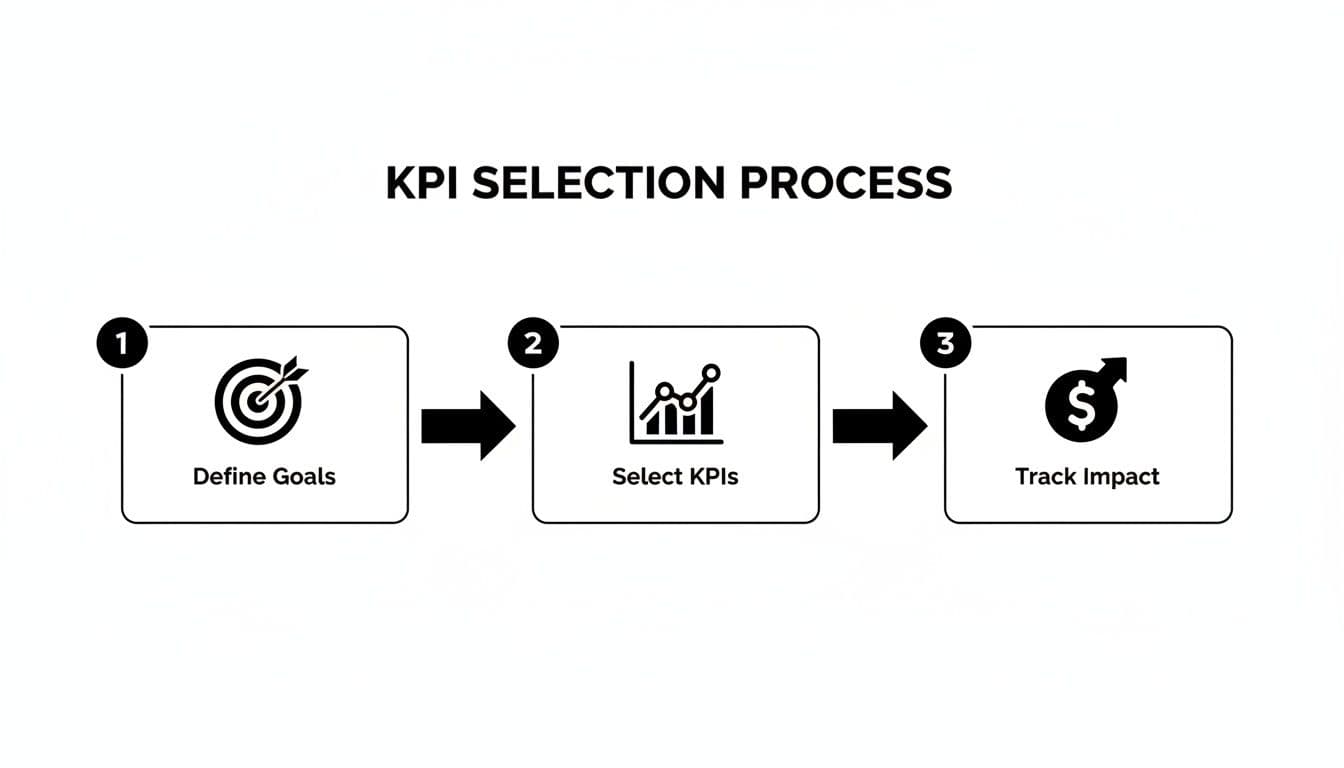
This flow—from goals to impact—makes a report persuasive.
Visualizing Data for Maximum Impact
Raw tables put readers to sleep. Use charts that tell the story on their own.
Try a stacked bar chart for keyword distribution—group keywords into positions 1–3, 4–10, and 11–20—so anyone can see front-page visibility at a glance.
Pro tip: A simple dual-axis line chart that compares organic traffic against organic conversions or revenue often proves value in one visual.
A treemap of pages by organic traffic highlights what’s doing the heavy lifting and where to double down.
Tailoring the Template for Different Stakeholders
Your CEO and your content team care about different things. The CEO version might be just the executive summary and the main dashboard. The marketing director’s version should include keyword movement, competitor insights, and technical health.
Interactive elements can be powerful. For example, embedding a calculator on a landing page lets you show not just traffic, but tool submissions—clear signals of qualified leads. A marketing team could use the Email List Value Estimator to show how content captures valuable first-party data.
By focusing on visual storytelling and outcome-driven KPIs, your monthly template becomes a strategic tool that shapes future work.
Using Interactive Tools to Prove SEO Value
Standard reports look in the rearview mirror. Modern SEO is about creating experiences that drive future results. Interactive tools change the game.
Imagine an agency embedding a calculator on a service page. That tool engages visitors, increases time on page, and attracts backlinks—signals that search engines reward.
Turning Your Website Into a Lead Generation Engine
Interactive tools are SEO assets. A well-built calculator or estimator boosts engagement and earns backlinks. For example, a SaaS company could create a free tool that industry blogs link to repeatedly, improving authority and referral traffic.
Interactive content helps in several ways:
- Boosts time on page, which signals value to search engines.
- Attracts high-quality backlinks.
- Captures first-party data that shows user intent.
Platforms with ready-made calculators make this easier. For example, the Business Valuation Estimator is a useful asset for B2B content that aims to attract high-value prospects.
Reporting on Interactive Tool Performance
Give embedded tools a dedicated section in your monthly report. Use these metrics:
- Leads generated from tool users
- Ranking improvements for the tool’s page
- New backlinks acquired to the tool
When you can show that adding one tool led to a 20% increase in qualified leads from a specific page, your value becomes undeniable.
Interactive content also tends to improve engagement—studies show interactive experiences drive higher user engagement than static content.3
This approach transforms your report from a passive summary into a showcase of proactive, revenue-driving SEO.
Search result visibility improvements also yield big click gains—improving average position is strongly correlated with higher CTRs and more clicks.2
Automating Your Data to Save Time and Reduce Errors

Manually pulling data from multiple sources each month is a recipe for burnout and mistakes. Automation is not a luxury—it’s necessary for scalable, accurate reporting.
Tools like Google Looker Studio connect directly to Google Analytics 4 and Google Search Console so dashboards update automatically. Set up live connectors and your dashboards stay current without manual work.
Setting Up Automated Data Connectors
Data connectors are the plumbing that links dashboards to raw sources. Essential connections include:
- Google Search Console for organic search truth
- Google Analytics 4 for on-site behavior and conversions
- Third-party SEO tools (Ahrefs, Semrush) for backlinks and competitive intelligence
With these live, your performance dashboard and keyword tracking charts are always up-to-date.
Integrating Interactive Tool Performance
You can also track embedded tool usage as events in GA4 and surface those events in Looker Studio. When a tool submission is recorded as a conversion, it appears in your dashboard almost instantly. This creates a clear line from content to qualified leads.
Automated reporting can cut the time teams spend on reporting dramatically, while improving accuracy and client retention.4
Common Questions About Monthly SEO Reporting
What Are the Most Critical Metrics for a Monthly SEO Report?
Focus on metrics that tie to the bottom line: organic conversions, organic traffic conversion rate, organic-driven revenue, and rankings for high-intent keywords.
How Often Should I Send an SEO Report?
Monthly is the industry standard. It balances enough time to see meaningful trends with keeping stakeholders informed. Use short check-ins for major launches.
How Can I Make My Report More Engaging for Non-SEO Stakeholders?
Start with a short, jargon-free executive summary. Highlight 3–4 wins and frame every insight around business impact. Translate ranking moves into revenue or lead impacts.
Quick Q&A
Q: What should an executive see first?
A: A one-paragraph executive summary and a simple dashboard showing organic conversions and revenue impact.
Q: Which KPIs matter most?
A: Organic conversions, conversion rate from organic traffic, and revenue tied to organic visitors.
Q: How do interactive tools fit in?
A: Tools increase engagement, attract backlinks, and generate trackable leads—include them as a dedicated section in your report.
Concise Q&A: Three Essential Questions
Q1: How do I prove SEO drives revenue?
A1: Focus on organic conversions and revenue, tie traffic to lead value, and show month-over-month trends with a clear narrative.
Q2: Which KPI should I prioritize first?
A2: Start with organic conversions that map to your business goal—leads for B2B, revenue for e-commerce—and add context metrics afterward.
Q3: How can I reduce time spent on reporting?
A3: Automate data connectors (GA4, Search Console, third-party tools) and use dashboard templates so reports update automatically.
At MicroEstimates, you can build and embed no-code tools that turn content into lead magnets. Start with the Business Valuation Estimator to see how a single tool can surface high-value prospects.
Ready to Build Your Own Tools for Free?
Join hundreds of businesses already using custom estimation tools to increase profits and win more clients
✨ No coding required • 🚀 Ready in minutes • 💸 Free to create