Tracking website visitors starts with installing an analytics tool—usually a small JavaScript snippet that collects anonymized data about who’s visiting, how they found you, and what they do on your site. This guide helps you choose the right tools, set up reliable tracking, gather qualitative insights, and measure marketing impact so you can turn traffic into revenue.
January 8, 2026 (7mo ago) — last updated June 19, 2026 (2mo ago)
How to Track Website Visitors (Practical Guide)
Learn how to track website visitors with GA4 and privacy-first tools, set up events and UTMs, and turn analytics into measurable growth.
← Back to blog
How to Track Website Visitors (Practical Guide)
Summary: Learn how to track visitors to your website, choose the right analytics tools, and turn data into growth using privacy-friendly and enterprise options.
Introduction
Tracking website visitors starts with installing an analytics tool—usually a small JavaScript snippet that collects anonymized data about who’s visiting, how they found you, and what they do on your site. This guide helps you choose the right tools, set up reliable tracking, gather qualitative insights, and measure marketing impact so you can turn traffic into revenue.
Why Tracking Website Visitors Is a Growth Superpower

Tracking visitors isn’t just about watching numbers; it’s about understanding the people behind the clicks. When you know how people find and interact with your site, you can sharpen SEO, improve product decisions, and invest where it matters most.
This data is the foundation of smart decisions. With clear visitor insights, you can prioritize high-impact channels, optimize pages that drive conversions, and prove ROI for marketing spend.
Connect Your Efforts to Your Bottom Line
Without tracking you’re guessing. Analytics turns assumptions into measurable results. For example, embedding an interactive tool like the Business Valuation Estimator makes it easy to see engagement and tie tool usage to consultations or sales. When data shows users who use the tool convert at a higher rate, you can justify promoting the tool and reallocating budget to what works.
“By analyzing user behavior, you can pinpoint the exact pages and features that contribute most to conversions. This lets you double down on what works and fix what doesn’t, directly impacting profitability.”
Understand Your Audience More Deeply
Good tracking reveals:
- Top traffic sources—are visitors coming from search, social, or email?
- Most popular content—what pages and tools get attention?
- User journeys—how visitors move through your site before converting or leaving.
For a real estate site, a tool like the Mortgage Calculator can reveal that users who try the calculator are far more likely to contact an agent. An e-commerce store using the Logistics Shipping Cost Predictor can see where shoppers abandon carts and adjust shipping or thresholds to recover sales.
Ultimately, tracking helps you make informed changes that increase conversions and revenue.
2. Choosing Your Analytics Toolkit
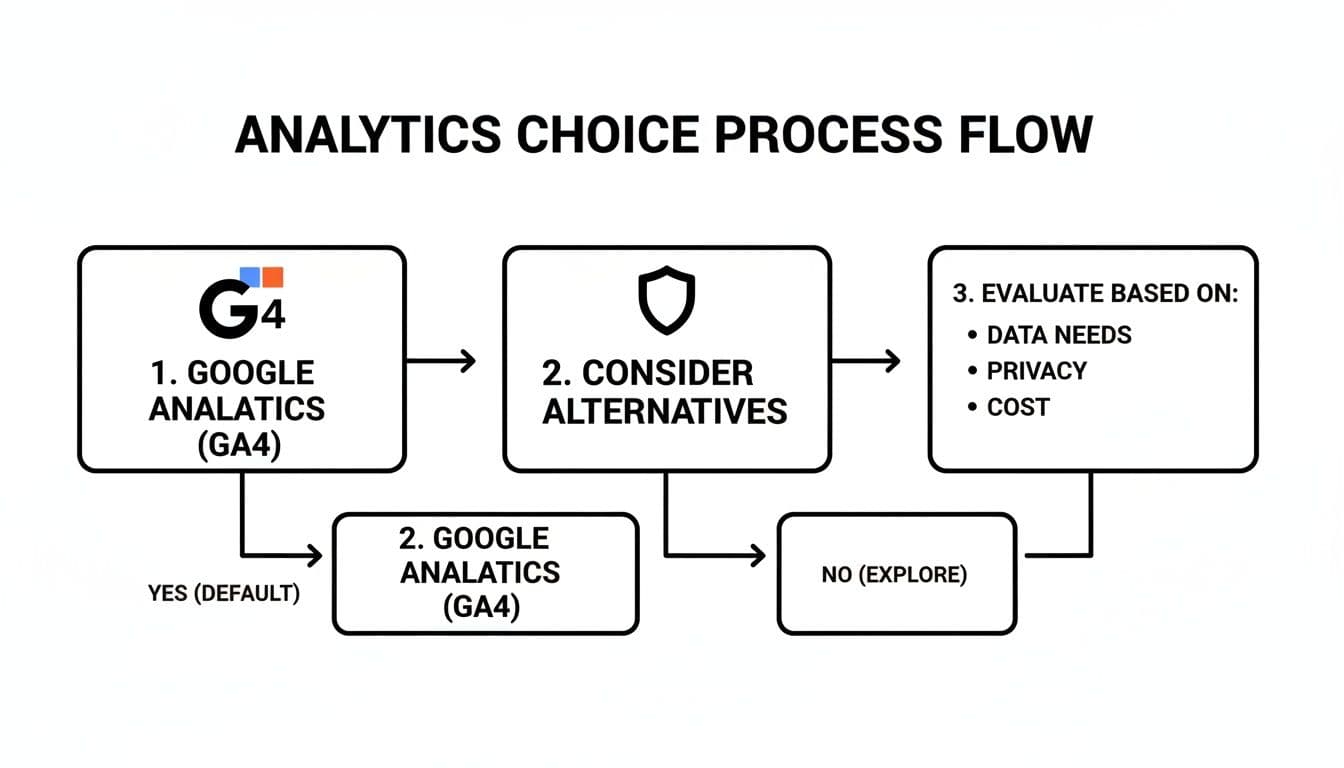
Now that you know why to track visitors, choose how you’ll track them. Analytics approaches fall into three main categories: hosted platforms, self-hosted solutions, and server logs. Your choice affects data ownership, privacy, and the insights you can get.
Hosted Platforms vs. Self-Hosted vs. Server Logs
Hosted analytics are third-party services where you add a tracking script and the provider handles collection and reporting. Google Analytics 4 (GA4) is the most common option and integrates tightly with the Google ecosystem, making it a default choice for many businesses1.
Self-hosted platforms and privacy-first hosted options give you more control over data and help with compliance. Matomo (self-hosted) and lightweight privacy tools reduce reliance on third-party cookies and simplify consent management.
Server logs give you raw, unfiltered traffic data and aren’t blocked by ad-blockers, but they require more technical work to parse and lack behavioral detail.
| Approach | Best For | Pros | Cons |
|---|---|---|---|
| Hosted Platforms | Businesses seeking powerful features with low technical overhead | Easy setup, advanced features, strong integrations | Less data ownership, privacy concerns, complexity |
| Self-Hosted | Regulated industries and privacy-focused teams | Full data ownership, customizable, better privacy | Requires maintenance and technical resources |
| Server Logs | Technical users needing raw traffic data | Captures all requests, resistant to blockers | Harder to analyze, fewer behavior insights |
The Shift Toward First-Party Data
Third-party cookies are being phased out and major browser vendors are moving toward privacy-first defaults; that means relying on first-party data and transparent consent is increasingly necessary for accurate measurement and compliance2.
Choosing What’s Right for You
If you’re starting out, GA4 is a powerful, free option. If you handle sensitive data, choose a privacy-first tool or self-hosted solution. The best toolkit balances features, privacy, and your team’s technical capacity.
Setting Up Your Tracking Foundation
After you pick a platform, install it site-wide—Google Tag Manager (GTM) is the recommended way to manage multiple scripts without repeatedly editing site code. GTM lets you deploy analytics and ad pixels from a single dashboard.
Installing Google Tag Manager
Add the two GTM snippets—one in the and one after the opening tag—or use a CMS plugin. Once GTM is live, you can add or update tracking tags without touching site templates again.
Deploying Your Analytics Tool via GTM
Most analytics platforms provide either a built-in GTM template or a small script for a Custom HTML tag. For GA4, use the “Google Analytics: GA4 Configuration” tag and your Measurement ID. For other tools, paste their script into a Custom HTML tag and publish.
Set Up Meaningful Conversions
Move beyond page views and track actions that matter: lead form submissions, newsletter signups, downloads, demo requests, or interactive tool use. For example, track completions of the Business Valuation Estimator to see which channels send the most qualified leads.
Event tracking in GTM typically uses tags that fire on form submissions or button clicks—this is how you connect on-site behavior to revenue.
Going Beyond Page Views with Qualitative Tracking

Quantitative analytics tell you what happened; qualitative tools help explain why. Session recordings and heatmaps reveal user confusion, friction points, and UX opportunities.
See Your Website Through Users’ Eyes
Tools like Hotjar or Microsoft Clarity provide anonymous session recordings you can watch to spot usability issues. For a tool-driven page, watching where users get stuck helps you iterate quickly.
If visitors repeatedly stumble on the same input field in the Mortgage Calculator, you’ve found a usability fix that can immediately increase completions.
Decode Clicks and Scrolls with Heatmaps
Heatmaps show collective attention: click maps, scroll maps, and move maps. If only 20% of users reach a bottom-of-page CTA, move or repeat the CTA higher. If visitors hover over a non-clickable image, make it interactive.
A marketing team using the Business Valuation Estimator could use heatmaps to identify which inputs draw attention and simplify the flow to improve lead completion rates.
Act on Qualitative Insights
Focus recordings and heatmaps on high-value pages like checkout, lead funnels, and landing pages. Look for repeated friction—rage clicks, form abandonment, or confusing navigation—and prioritize fixes that remove those blockers.
Measuring Marketing Impact with UTM Tracking
So you’re driving traffic from social, email, and ads—UTM parameters ensure each click is tracked back to its source so you know what’s working.
The Anatomy of a UTM Link
UTMs are appended to a URL and include:
- utm_source (e.g., google, facebook)
- utm_medium (e.g., cpc, email)
- utm_campaign (e.g., summer_sale)
- utm_term (paid search keyword)
- utm_content (different links in the same creative)
UTMs turn broad analytics buckets into precise performance data so you can optimize spend.
Create a Consistent UTM Framework
Inconsistent naming breaks reports. Use a shared spreadsheet and these simple rules:
- Use lowercase
- Use underscores instead of spaces
- Be descriptive but concise
A consistent UTM framework makes it easy to compare campaigns and attribute conversions accurately. For email programs, consider pairing UTMs with the Email List Value Estimator to prioritize high-value segments.
Tie UTMs to Business Goals
UTMs let you trace a campaign to real outcomes. If an email with a tagged link drives visitors who use the Business Valuation Estimator and submit a contact form, you can connect that campaign to qualified leads and scale what works.
Using Competitive Benchmarking to Set Realistic Goals
Analytics without context are incomplete. Competitive benchmarking helps you understand what’s realistic for your industry and what your competitors are doing well.
Use tools like SE Ranking, Similarweb, or SpyFu to estimate competitors’ traffic and top pages. If a rival’s calculator pulls large organic traffic, that’s a signal to build a similar resource and capture part of that demand.
For example, if a competitor’s calculator is getting tens of thousands of visits a month, your goal can become a specific share of that traffic over a defined period. That gives you a measurable target for content, SEO, and product work.
Common Questions About Website Tracking
Is tracking website visitors legal?
Yes, but you must comply with privacy rules like GDPR and CCPA. Be transparent in your privacy policy and obtain consent for non-essential tracking. Privacy-first analytics tools simplify compliance and reduce legal risk3.
What’s the difference between users and sessions?
A user is a unique visitor; a session is one visit. One user can have multiple sessions.
Can I track visitors without cookies?
Yes. Server logs, cookieless analytics, and privacy-focused platforms let you capture essential metrics without third-party cookies while protecting user privacy.
Q&A — Quick Answers
Q: What’s the easiest way to start tracking visitors?
A: Install Google Tag Manager and deploy GA4 or a privacy-focused tool via GTM to get site-wide tracking quickly.
Q: Which analytics approach protects user privacy?
A: Self-hosted analytics or privacy-focused hosted tools offer the best control over first-party data and compliance.
Q: How do I measure if a tool or page drives leads?
A: Use event tracking and UTMs to tie tool usage to conversions, then analyze which channels send the highest-quality traffic.
Ready to turn visitor data into growth? Start by tracking key actions and pairing quantitative analytics with qualitative tools. Consider embedding measurable tools like the Business Valuation Estimator or the Mortgage Calculator to drive qualified leads.
Concise Q&A
Q: How soon will I see results after installing analytics?
A: Basic traffic and source data appear immediately; reliable conversion data requires consistent tagging and a few weeks of traffic to produce meaningful trends.
Q: Will analytics work if users block cookies?
A: Some metrics will still work—server logs and privacy-first tools capture visits without third-party cookies—but you may lose some cross-device attribution.
Q: What’s one change that usually improves conversions?
A: Track a single high-value event, watch session recordings for friction, then remove the top blocker—small UX fixes often yield large lifts.
1.
W3Techs, “Usage statistics and market share of analytics tools for websites,” https://w3techs.com/technologies/overview/analytics
2.
Chromium Blog, “Building a more private web: a path towards making third-party cookies obsolete,” https://blog.chromium.org/2020/01/building-more-private-web.html
3.
European Commission, “Data protection in the EU,” https://ec.europa.eu/info/law/law-topic/data-protection_en
Ready to Build Your Own Tools for Free?
Join hundreds of businesses already using custom estimation tools to increase profits and win more clients
✨ No coding required • 🚀 Ready in minutes • 💸 Free to create